Object 1TB
$25 /mo
- 1 TB usable capacity
- S3-compatible endpoint
- Automatic TLS setup
- Unique storage URL
MSPClouds has chosen to not create or resell a shared bucket service. We deploy dedicated SeaweedFS-powered object storage appliances for MSPs, developers, backup workflows, SaaS teams, and data-heavy applications that need predictable capacity, S3 compatibility, and their own secure workspace.
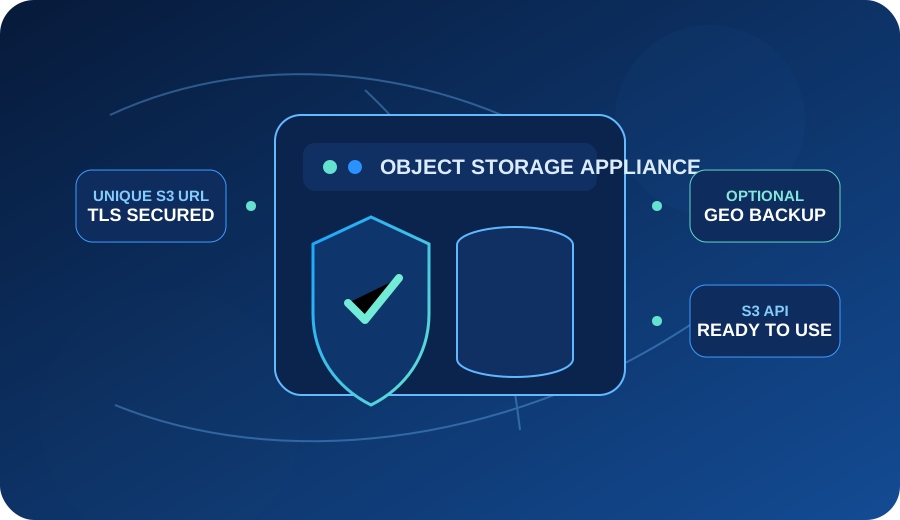
Each plan is an isolated object-storage workspace with S3-compatible access, automatic endpoint generation, TLS, and a configuration designed for immediate production use.
Standard appliance prices shown are proposed MSPClouds monthly rates. Optional geographically separated backup capacity, special replica policies, licensing, taxes, and custom engineering may be additional. No separate ingress/egress transfer fee is added on standard appliance plans; network port capacity and service terms still apply.
Give backup jobs, customer applications, archives, exports, and managed services an isolated S3-compatible target without mixing your customers into a generic shared storage product.
Use a dedicated S3-compatible data plane for application attachments, CI/CD artifacts, test fixtures, staging data, distributed applications, and clustered workflows that need shared object access.
Build predictable backup targets with optional secondary-zone copies, simpler capacity planning, and no separate transfer-out meter waiting for restore day.
Separate growing object data from compute: customer uploads, software packages, media, exports, static assets, reports, and long-lived application data can scale on their own.
MSPClouds automates the infrastructure work that normally sits between “I need S3-compatible storage” and “the application can use it.” Appliances are deployed with a best-practice baseline, secured with TLS, and returned with unique access information.
Select a standard appliance or request a custom storage and replica design.
SeaweedFS and the required object-storage services are installed and configured automatically.
Unique S3 and management URLs are generated and protected with TLS for immediate use.
Point compatible backup software, applications, SDKs, tools, or development workflows at the endpoint.
Standard MSPClouds Object Appliance plans do not add a separate data-transfer-in or data-transfer-out fee. That makes backup restores, migrations, developer testing, and customer downloads easier to quote without building an egress calculator into every managed service.
10 TB Object Appliance with fixed appliance capacity and no separate ingress/egress line item.
AWS publicly lists S3 Standard in US East at $0.023/GB for the first 50 TB. That makes 10 TB roughly $230/month for storage alone before applicable request, retrieval, replication, management, and public-internet transfer charges.
Illustrative comparison only. AWS pricing varies by region, tier, requests, transfer pattern, features, and total usage. Verify current AWS pricing before purchasing decisions.
When the workload warrants it, add a secondary geographically separated backup target so the primary object-storage workspace and backup copy do not share the same facility. Backup policy, retention behavior, replica strategy, and capacity are sized to the workload rather than hidden behind a generic durability claim.
Common questions about S3 compatibility, transfer fees, SeaweedFS, endpoint generation, backups, migration, and appliance isolation.
Still have a question? Contact MSPClouds →No. MSPClouds is intentionally positioning this product as an isolated object-storage appliance rather than a pooled standalone bucket service. Your appliance is provisioned as its own workspace with dedicated capacity and access details.
Yes. The appliance exposes an S3-compatible API so compatible applications, SDKs, backup tools, and workflows can connect using familiar object-storage patterns. Specific API compatibility should be validated against the application you plan to use.
MSPClouds Object Appliances are powered by SeaweedFS and deployed with an automated MSPClouds configuration baseline.
Standard appliance plans do not add a separate ingress or egress transfer fee. Available throughput is still governed by the appliance/network configuration and applicable service terms.
Yes. Geo-separated backup is an optional design for workloads that need an additional copy outside the primary facility. Capacity, retention, and backup policy are quoted according to the deployment.
The provisioning workflow automatically creates unique storage endpoint information and secures the service with TLS. Connection details are delivered when provisioning completes, so there is no manual DNS or certificate setup required for the standard deployment.
Yes. A better description than “cluster-aware storage” is shared S3-compatible object storage for distributed applications and clustered workflows. Multiple application nodes can use the object API as a common data layer when the application is designed for that model.
Yes. Use Object CUSTOM when migration size, timing, replica design, network throughput, or cutover requirements go beyond a standard appliance. MSPClouds can scope the transfer and target architecture before the move.
No. Object storage is accessed through an object API and is ideal for data such as backups, attachments, artifacts, media, archives, and application objects. Workloads requiring a mounted block device or POSIX filesystem should use the appropriate storage service.